
Layi Docs
Create Agents in Four Ways
Import existing JSON, draft a brief, clone from the marketplace, or duplicate a proven worker
Pick the workflow that matches your org
Whether you are migrating legacy JSON exports, rapidly prototyping with an LLM brief, or standardizing on marketplace templates, the agent builder keeps every path in a single modal (see screenshots). Each flow outputs a complete agent with prompts, tools, voice settings, and governance metadata.
Import JSON or upload a file
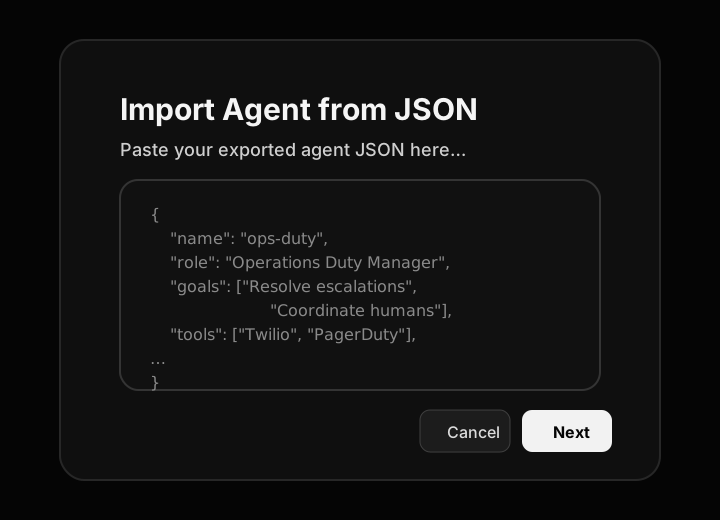
Choose Import from JSON or Import from file at the bottom of the modal. Paste the exported payload or choose a saved .json file. We validate schema, preview the agent name, and show which tools/knowledge will be recreated before you clickNext.
- Safe replays
Imports never overwrite existing agents; duplicates append a numeric suffix until you rename them.
- Secrets
Tool credentials are intentionally stripped—reattach secrets through the Tool Gateway after import.
Create from a brief
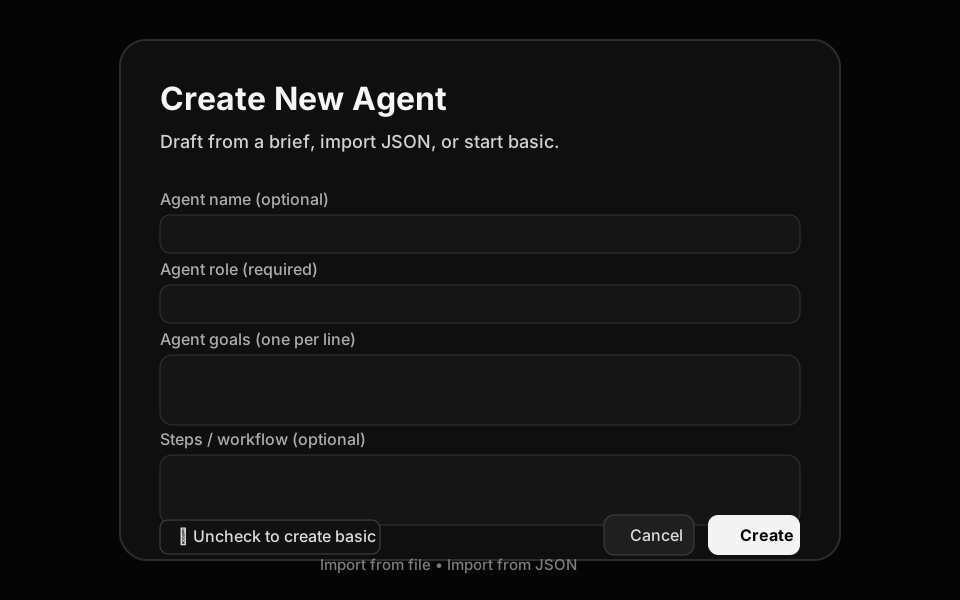
Toggle Uncheck to create basic off, then fill in the brief fields shown in the screenshot: role, goals, steps/workflow, and tool hints. When you hit Create, Layi’s backend brief builder uses your org’s approved templates to generate a production-ready agent with KPIs, evaluation hooks, and default memory attachments.
- Agent goals = KPIs
Each line you enter becomes a measurable goal in the agent dashboard, letting supervisors track completion rates.
- Suggested steps
Steps serve as the agent’s executable checklist; they surface in the run timeline as a guide and unlock troubleshooting telemetry.
- Tool hints
List the tools or data sources you expect; the builder auto-links eligible MCP integrations and flags missing access.
Clone from the marketplace
Use the Explore tab to browse public agents. When you click Use Agent, we duplicate its configuration into your org, strip org-specific secrets, and map optional tools to the closest equivalents you have installed.
- Preview prompts
Inspect the system prompt, goals, and steps before importing so you know exactly what the agent will do.
- Version locking
Cloned agents freeze at the version you imported; subscribe to notifications if the author ships updates you want to merge later.
Duplicate an existing agent
From My Agents, open any worker and click Customize → Duplicate. This keeps prompts, tools, voice routing, and knowledge attachments intact so you can experiment without touching the production instance.
- Safe sandboxing
Duplicates land in draft state until you publish; run test threads and adjust KPIs privately.
- Template publishing
Once dialed in, publish as an internal template or back to the marketplace if you want to share with other orgs.
After you create the agent
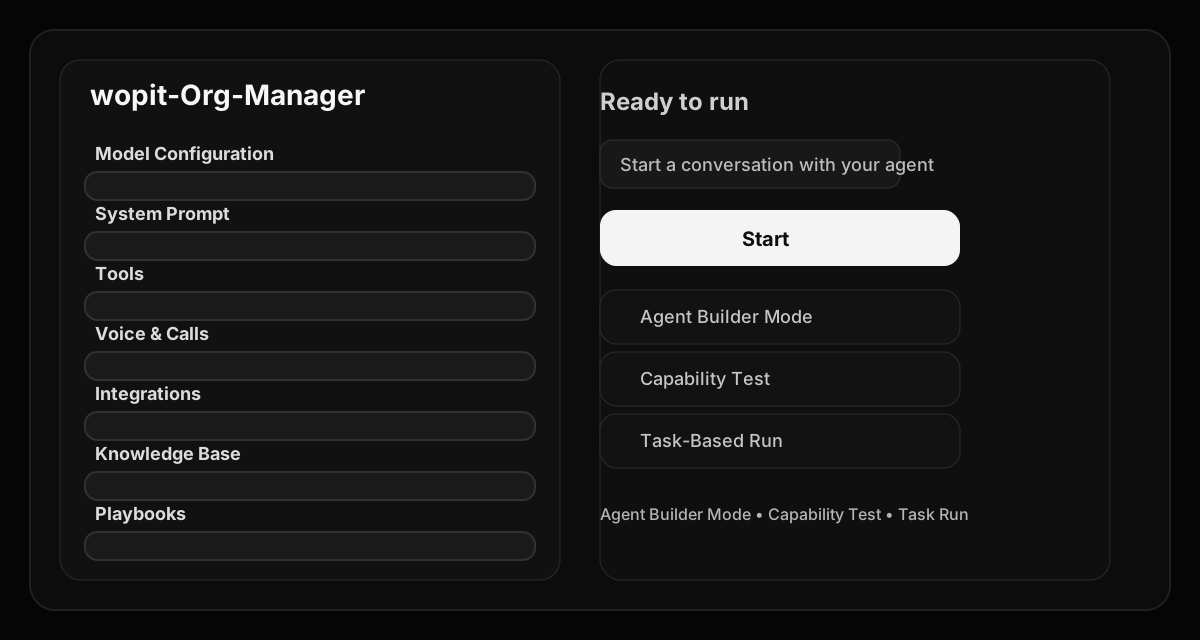
All four creation paths drop you into the agent workspace (Model, System Prompt, Tools, Voice & Calls, Integrations, Knowledge Base, Playbooks). Review each tab before publishing or routing live calls.
- Goals dashboard
KPIs automatically populate the agent performance board so you can benchmark runs immediately.
- Suggested steps telemetry
The run timeline compares actual actions to your suggested steps and flags drift.
- Voice routing
Assign or recycle phone numbers, configure hold prompts, and test mute/unmute from the same screen.
- Modular configuration
Swap custom models, enable/disable tools, attach knowledge files, configure playbooks, and wire integrations without leaving the tabbed workspace.
Navigate the agents hub
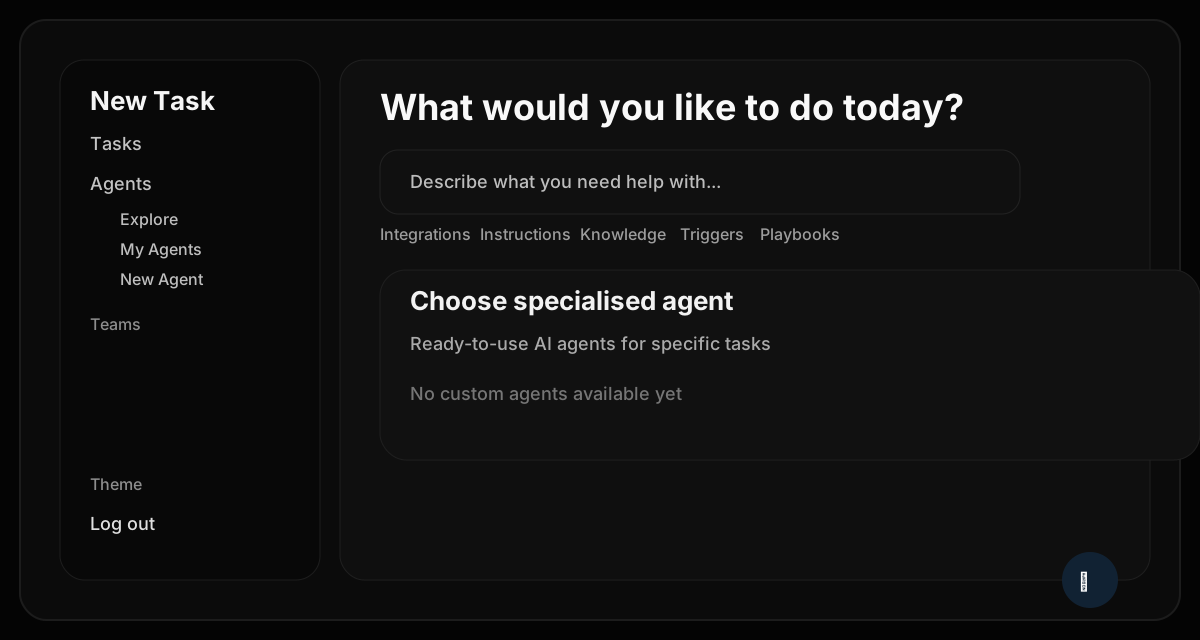
The left navigation surfaces Explore, My Agents, and New Agent so operations teams can review production workers, spin up new briefs, or browse marketplace templates side-by-side with billing, integrations, and API key controls.
- Org-wide visibility
The hub lists every private agent plus public marketplace options so reviewers can cross-check coverage gaps.
- Context-aware prompts
Suggested tasks update based on the active org and selected agent, keeping launch instructions consistent.
Select any agent for quick actions
Clicking an agent tile opens a modal with Chat, Customize, and Publish as Template options. Use it to jump into testing, edit prompts, or share a vetted worker with other teams in a couple clicks.
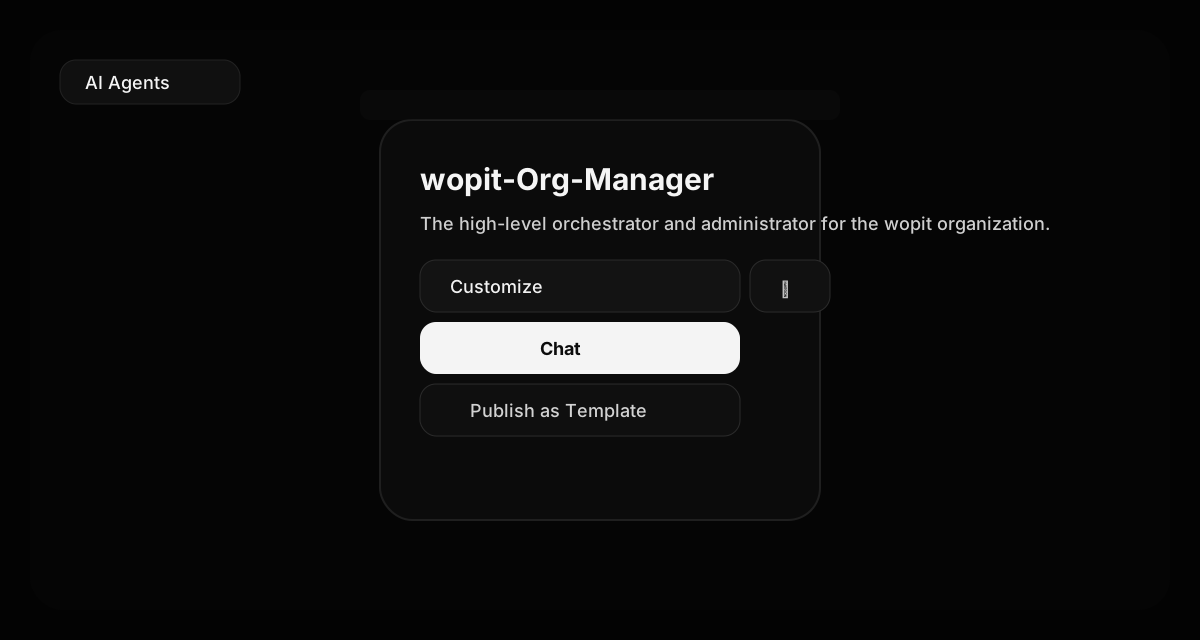
- Chat
Opens a thread with the live agent using production routing so QA can validate behavior with real tools.
- Customize
Drops you back into the full workspace where you can update voice profiles, secrets, playbooks, or custom models.
- Publish as template
Share a hardened configuration to your marketplace catalog without exposing organization-specific secrets.
Run agents from the dashboard
The dashboard keeps start controls, attachments, suggested prompts, and playbooks in one place so supervisors can launch workflows and observe KPIs while switching between run modes (builder, capability test, or real task).
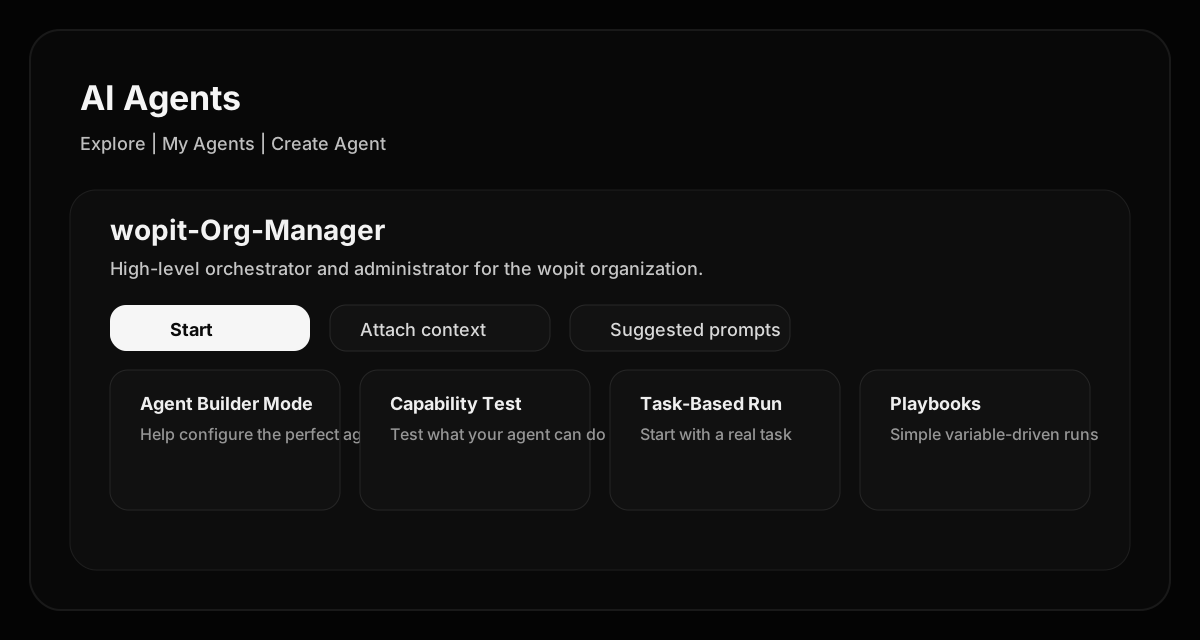
- Ready-to-run
One-click Start launches a fresh conversation using the agent’s latest configuration and routing plan.
- Suggested prompts
Pinned prompts document best-practice handoffs so analysts can trigger common workflows without rewriting context.
- Playbooks
Pre-built, variable-driven runs make it easy to schedule recurring jobs or multi-step escalations.
Tools Gateway: 500+ secure integrations
Layi operates a zero-trust Tools Gateway so orgs can safely connect more than 500 pre-integrated services. Each connection lives in aprofile that stores your credentials, rate limits, and audit metadata; once a profile is saved, the tool appears inside the agent’s Tools tab for assignment.

- Browse existing profiles
Pick from saved org profiles so sensitive secrets never leave the vault and can be reused across agents.
- Create new connections
Spin up a new profile whenever you need a fresh credential set (per agent, per environment, or per region).
- Tool visibility
View the available actions before connecting so you know exactly what capabilities the agent will receive.
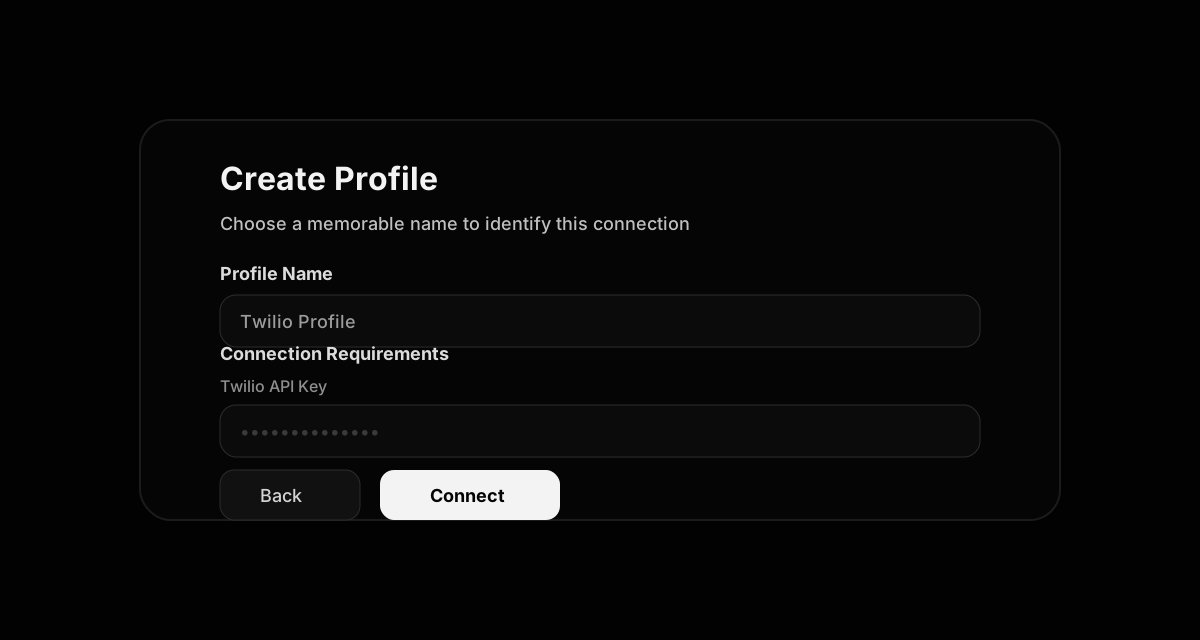
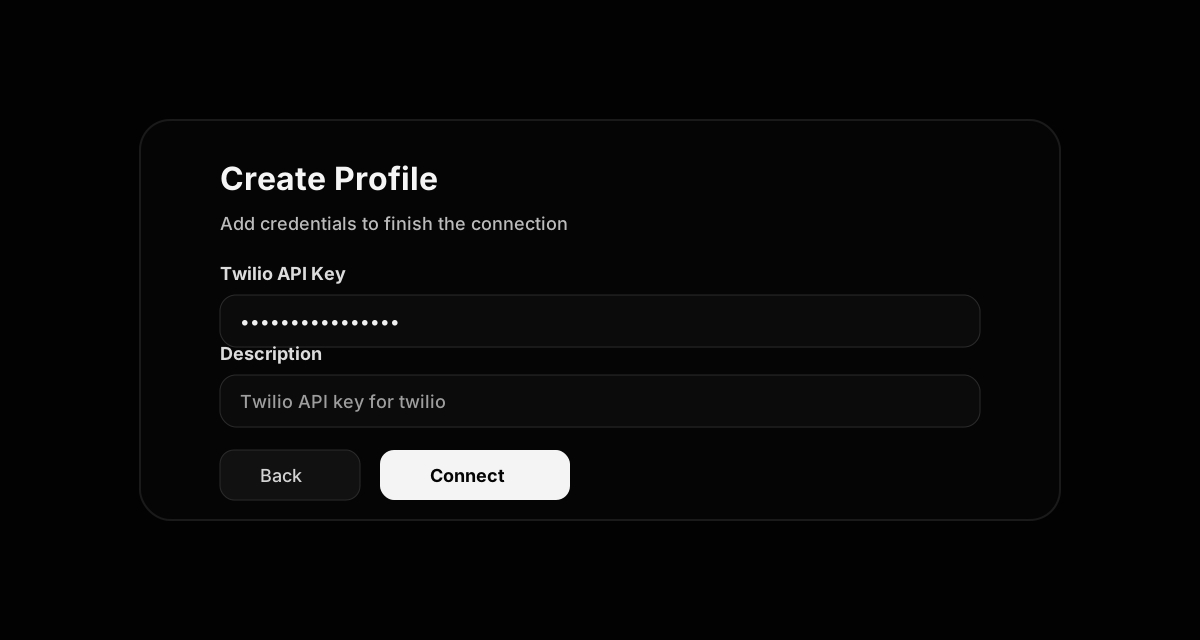
Create a profile and add secrets
Profiles separate identifiers (name, description) from the sensitive API keys. The gateway enforces secret masking, validation, and rotation policies before enabling the tool for assignment.
- Name profiles clearly
Use environment or workload hints (e.g., ‘Twilio - Ops Duty’) so admins know which credential powers each agent.
- Vault-backed secrets
API keys are encrypted, scoped to the profile, and never exposed to the agent UI or run logs.
- Multiple credentials
Create as many profiles per service as you need; assignment happens per agent so conflicts are avoided.
Assign tools to an agent
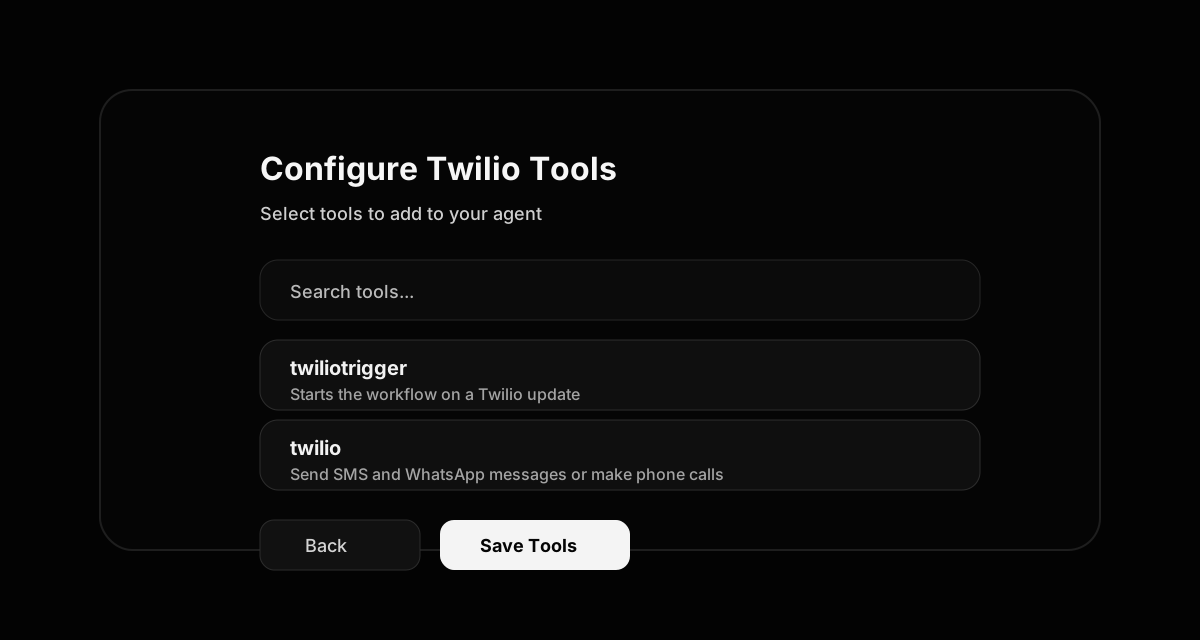
After a profile is saved, choose which actions the agent can call. Tool Gateway enforces least privilege—only the checked tools and profiles show up during runs.
- Fine-grained selection
Pick specific endpoints (trigger, action, analytics) so specialists get only what they need.
- Version-aware
Tool metadata shows version, parameter requirements, and audit dates so compliance teams can review access.
- Instant availability
Once saved, the tool slot lights up in the agent workspace; attach it to any step or playbook immediately.
Add custom APIs and legacy systems
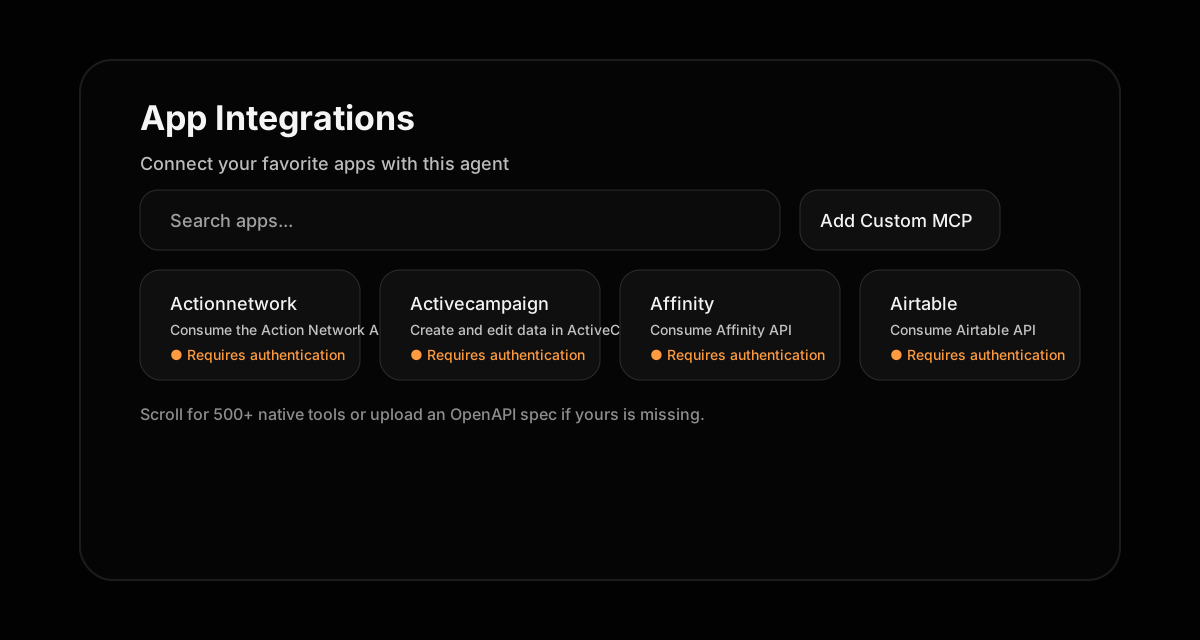
If a service is missing from the catalog, upload its OpenAPI JSON (file or URL) or register a Custom MCP endpoint. Layi’s internal team reviews submissions, publishes the tool to your org’s catalog, and wires it through the same Tool Gateway guardrails.
- OpenAPI uploads
Provide the spec JSON or URL; the gateway introspects endpoints and generates typed actions automatically.
- Custom MCP
Bring internal FastMCP services online with the Add Custom MCP button—perfect for proprietary data planes.
- Legacy support
For non-API systems, contact Layi with the service name; we’ll recommend relay options (RPA, email bridge, or hybrid connectors) and add it for you.